Free Image to Prompt Generator

Upload a reference image and get a draft you can copy, edit, and use right away.

Upload, drag & drop, or paste an image
Supports PNG, JPG, JPEG, WEBP up to 10MB
Prompt Style
Prompt output language

Turn one image into working text

Turn One Reference Image Into a Reusable Prompt.

Upload a reference image, extract the style, lighting, composition, and mood, then rewrite the draft before you generate.

Reference-led workflowEditable outputReady for image generation
Reference image in, reusable prompt out

Fit and limits

Where this AI image to prompt workflow helps, and where it does not

Use it for direction and drafting. It is not a perfect recovery tool for hidden wording.

Strong fit

  • Studying composition, lighting, and visual style from strong reference images.
  • Turning commercial, editorial, and character images into editable drafting prompts.
  • Creating a first-pass prompt before you fine-tune the wording for a specific model.

Weaker fit

  • Recovering the exact original prompt used by another creator.
  • Perfect identity matching for faces, logos, or highly specific copyrighted material.
  • One-click recreation of a reference image without any manual iteration.

Before / after tests

Image to prompt examples: real preview images turned into reusable AI prompt drafts.

These examples use images already in the project preview library, so the page is showing actual extractor output rather than filler marketing copy.

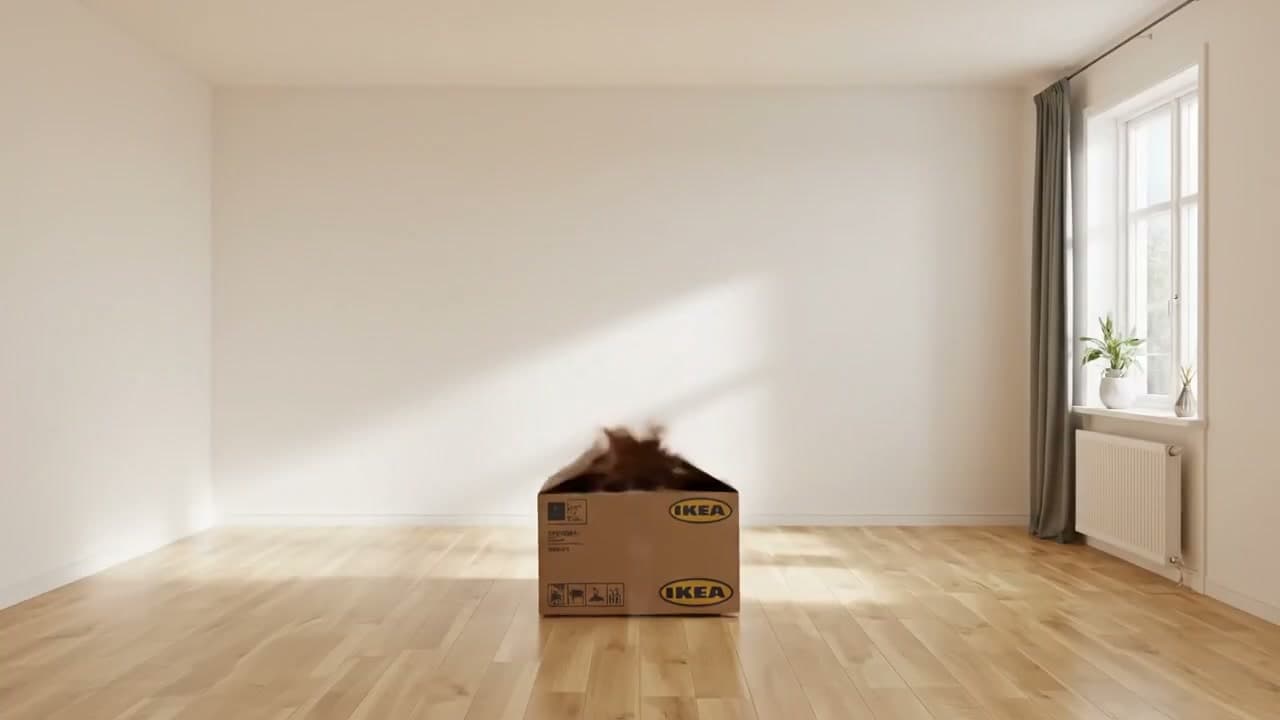
A cardboard IKEA box in a bright minimalist room with a blurred cat jumping out.
Input image

IKEA Box in a Minimalist Room

A wide-angle, eye-level shot of a bright, empty minimalist room with light-colored hardwood floors and clean white walls. In the center of the room sits a single, open brown cardboard IKEA moving box. A blurry, fast-moving brown object, resembling a cat, is captured mid-leap as it jumps out of the box. To the right, a large window with a grey curtain allows soft, natural sunlight to stream into the room, casting a long, diagonal beam of light across the back wall and creating gentle reflections on the polished wooden floor. Under the window is a white radiator and a small green plant in a white pot. The overall atmosphere is clean, airy, and peaceful with a sudden burst of energy. The color palette is dominated by warm neutrals, whites, and light wood tones.

Signal it captured
Wide-angle room stagingSoft afternoon window lightWarm neutrals and wood tones
Best for
  • Lifestyle interiors
  • Product storyboards
  • Clean editorial scenes
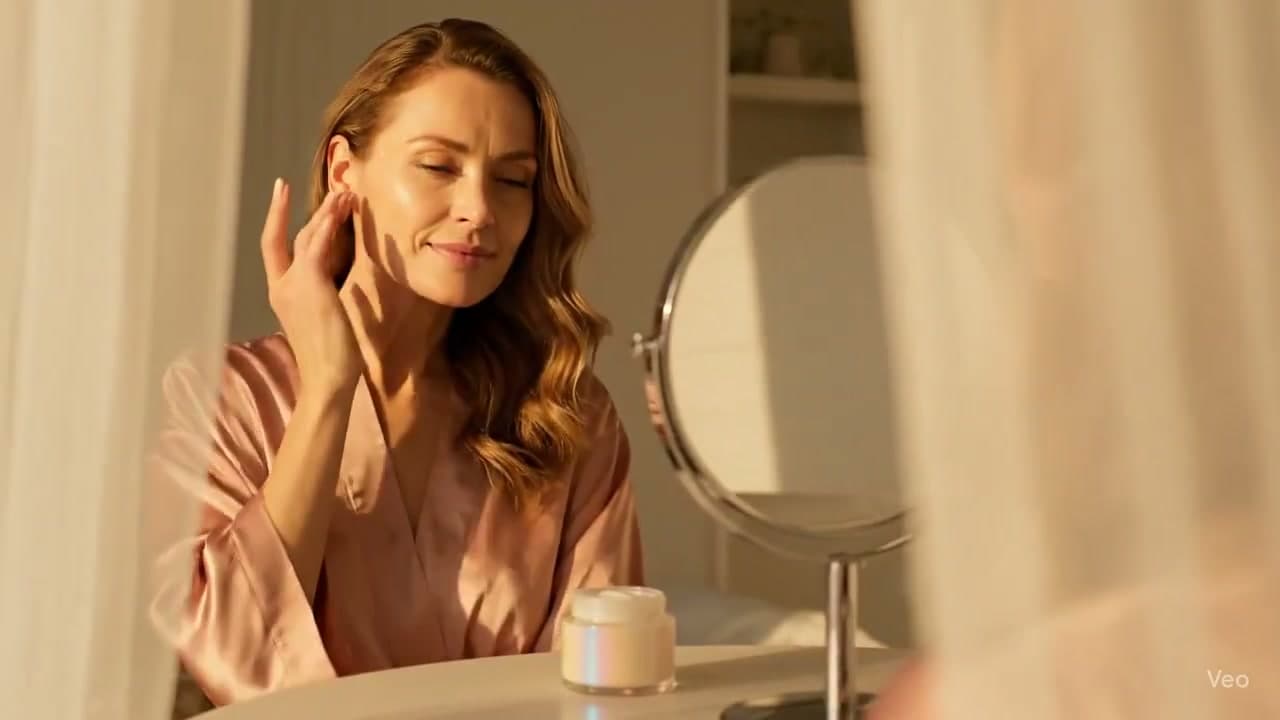
A woman in a pink satin robe at a vanity table during golden hour with skincare cream.
Input image

Golden Hour Skincare Vanity

A serene middle-aged woman with long, wavy brown hair and glowing skin, wearing a shimmering dusty pink satin robe, is captured in a moment of self-care. She has her eyes closed and a gentle smile, lightly touching her cheek with her fingertips. She is seated at a white vanity table. In front of her sits a small, elegant jar of white facial cream with an iridescent finish and a round, silver-rimmed vanity mirror. The scene is bathed in the warm, golden light of late afternoon sun, casting soft, long shadows and a luminous glow. The composition is framed through soft, out-of-focus sheer white curtains, creating a dreamy, intimate feel. The color palette is a harmonious blend of warm golds, soft peaches, and delicate pinks. The overall mood is peaceful, luxurious, and tranquil. High-resolution, cinematic photography style.

Signal it captured
Framed through sheer curtainsSoft peach and gold paletteLuxury beauty-ad aesthetic
Best for
  • Skincare ads
  • Vanity product shoots
  • Soft cinematic portraits
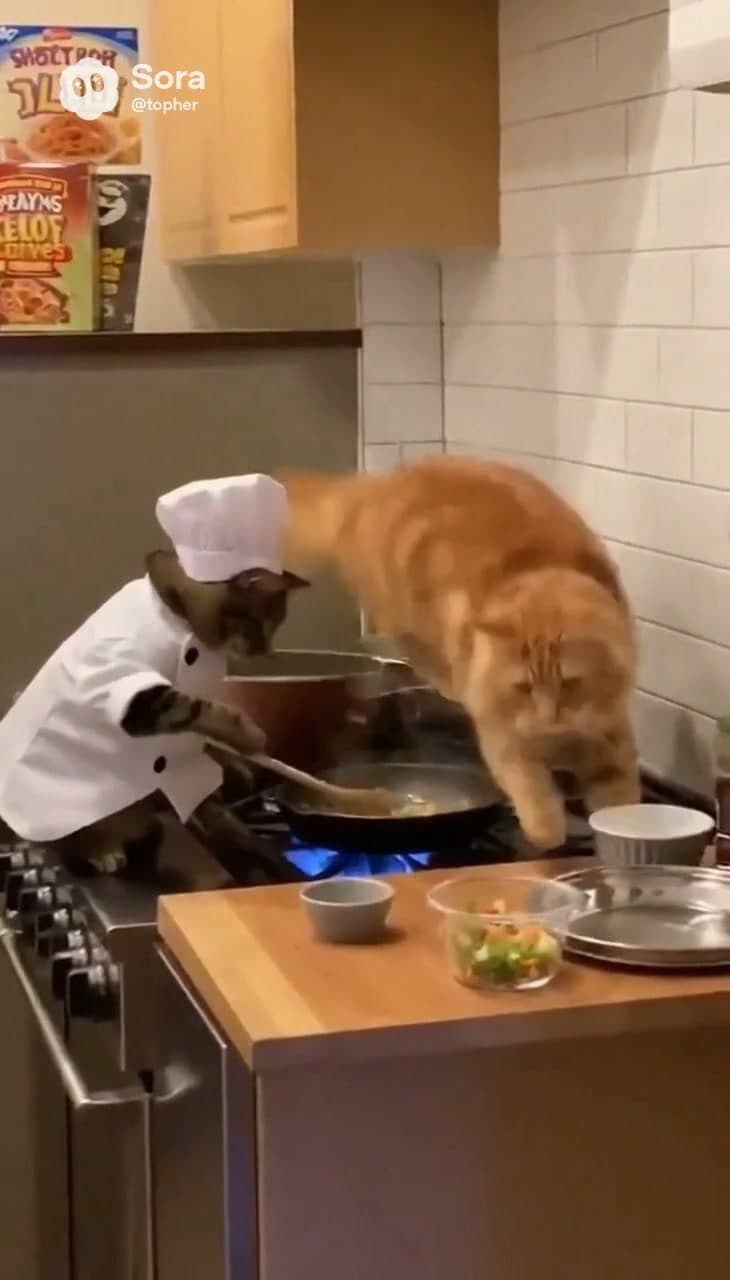
A chef cat cooking at a stove while another orange cat leaps over the kitchen.
Input image

Chef Cat Kitchen Chaos

A whimsical and surreal scene in a modern kitchen where a tabby cat, dressed in a miniature white chef's coat and a tall white toque, stands on its hind legs at a stainless steel gas stove. The chef cat is focused on stirring a frying pan with a wooden spoon over a bright blue gas flame. In a moment of chaotic action, a large, fluffy orange tabby cat is captured mid-air, leaping dramatically over the stove from the background toward the foreground. The setting includes a warm wooden countertop in the foreground with small glass bowls of chopped vegetables, a white subway tile backsplash, and light-toned wooden cabinets. The lighting is warm and domestic, emphasizing the soft textures of the cats' fur and the crisp fabric of the chef's uniform. The color palette is dominated by warm oranges, browns, and whites, punctuated by the vibrant blue of the stove's flame. The mood is humorous, frantic, and lighthearted.

Signal it captured
Character-driven action promptDomestic warm lightingHumorous mid-air motion beat
Best for
  • Meme-style images
  • Character concepts
  • Story-first prompt drafting

Prompt anatomy

What you want back from a good prompt extractor from image

A useful result feels like notes you can work with, not a stiff caption. It should help you keep what matters and rewrite the rest.

1

Subject and action

Who or what is in frame, what they are doing, and which details are visually dominant.

2

Style and medium

Whether the image reads like product photography, cinematic stills, editorial portraiture, illustration, or stylized concept art.

3

Lighting and palette

The light source, shadow quality, warmth, contrast, and color direction that make the image feel specific.

4

Composition

Camera distance, angle, framing, focus behavior, and the relationship between foreground and background.

5

Usable constraints

A short negative prompt or limitation note so you know what still needs manual cleanup.

Use cases

Where image to prompt AI is genuinely useful

The best use cases are not “copy this image exactly.” They are “start faster, keep the parts I care about, and adapt the draft for the model I am using.”

01

You want the look, not a replica

Pull out the lighting, palette, camera feel, and visual language before writing your own version.

02

You need a faster first draft

Start from a usable draft instead of manually describing every subject, material, and background detail.

03

You are moving from image to AI prompt for another model

Turn a reference image into editable text so you or your teammates can adapt it for Midjourney, Flux, Stable Diffusion, or any other workflow.

04

You use images to prompt your drafts

Save the draft now, come back later, and keep refining the wording when you are ready to generate again.

FAQ

Questions people ask before they trust the result

Short answers for the moments when you want to know what you are actually getting back.

What do I get back from this image to prompt generator?

You get an editable draft built from the uploaded image. The result includes a reusable prompt plus a short breakdown of subject, style, lighting, composition, palette, and mood so you can keep the useful parts and rewrite the rest.

Is this more like an image prompt generator or an AI image prompt generator?

If you use AI image tools, both labels make sense. The job here is simple: start from a real image, turn that visual direction into words, and give you a draft that is still easy to change.

I searched for imagetoprompt. Is this the same idea?

Yes. If what you want is a fast way to turn a reference image into prompt text you can edit, you are in the right place.

Will it recover the exact original prompt?

No. It can infer the visual ingredients from the final image, but it cannot reliably recover the exact hidden wording used upstream. Treat the result as a strong drafting layer, not as forensic recovery.

Which generators can I use the prompt with?

The draft is written in plain language, so you can adapt it for Midjourney, Flux, Stable Diffusion, or Kovvid image generation. You can also use it as a starting point if your usual workflow is image to prompt ai and then manual editing.

What image formats are supported?

The uploader supports common web image formats including JPG, PNG, and WEBP. Large files may be compressed before analysis to keep the workflow fast.

Does the page work better for some images than others?

Yes. This kind of image to prompt workflow works best when the reference has clear subject hierarchy, readable lighting, and a strong visual style. It is less reliable for dense collages, tiny text, or jobs that require exact identity reconstruction.

Next step

Go from image to AI prompt, then keep building

Take the draft, trim what you do not need, add model-specific details if you want, and jump directly into image generation.

Tip 1

Upload a strong reference first. Clear subject hierarchy improves extraction quality.

Tip 2

Copy the full prompt, then trim or rewrite it for your target model instead of treating it as final.

Tip 3

Use copy and generate when you want to move straight from extraction into image generation.

Free AI Image to Prompt Generator | No signup required | Kovvid