LogoKovvid

Supported formats: PNG, JPG, JPEG, WEBP (the maximum size of the original image is 10MB, automatically compressed when uploading)

public visibility

Copyright protection

5 credits

Featured Cases

Browse featured cases and choose whether to fill the prompt only or apply the prompt with model settings.

An inspiring and beautiful Swiss Alps travel poster. The image is a stunning, surreal photo showing a picturesque Alpine village with snow-capped mountains in the background. The text "SWITZERLAND: The Adventure Awaits" is in an elegant and classic font. Posters should evoke a strong desire to travel and make the viewer want to book a trip immediately.
seedream-4.5Image

prompt: An inspiring and beautiful Swiss Alps travel poster. The image is a stunning, surreal photo showing a picturesque Alpine village with snow-capped mountains in the background. The text "SWITZERLAND: The Adventure Awaits" is in an elegant and classic font. Posters should evoke a strong desire to travel and make the viewer want to book a trip immediately.

OpenAI image model

GPT-Image-2 Generator for Posters, UI, and Text-Heavy Images

Run GPT-Image-2 with text prompts or reference images, then iterate on layouts, typography, and structured scenes without switching tools.

Showcase

English-first examples worth copying from

These examples were selected for English typography, structured layouts, and lower-risk public use. Each card can load a starter prompt back into the tool above.

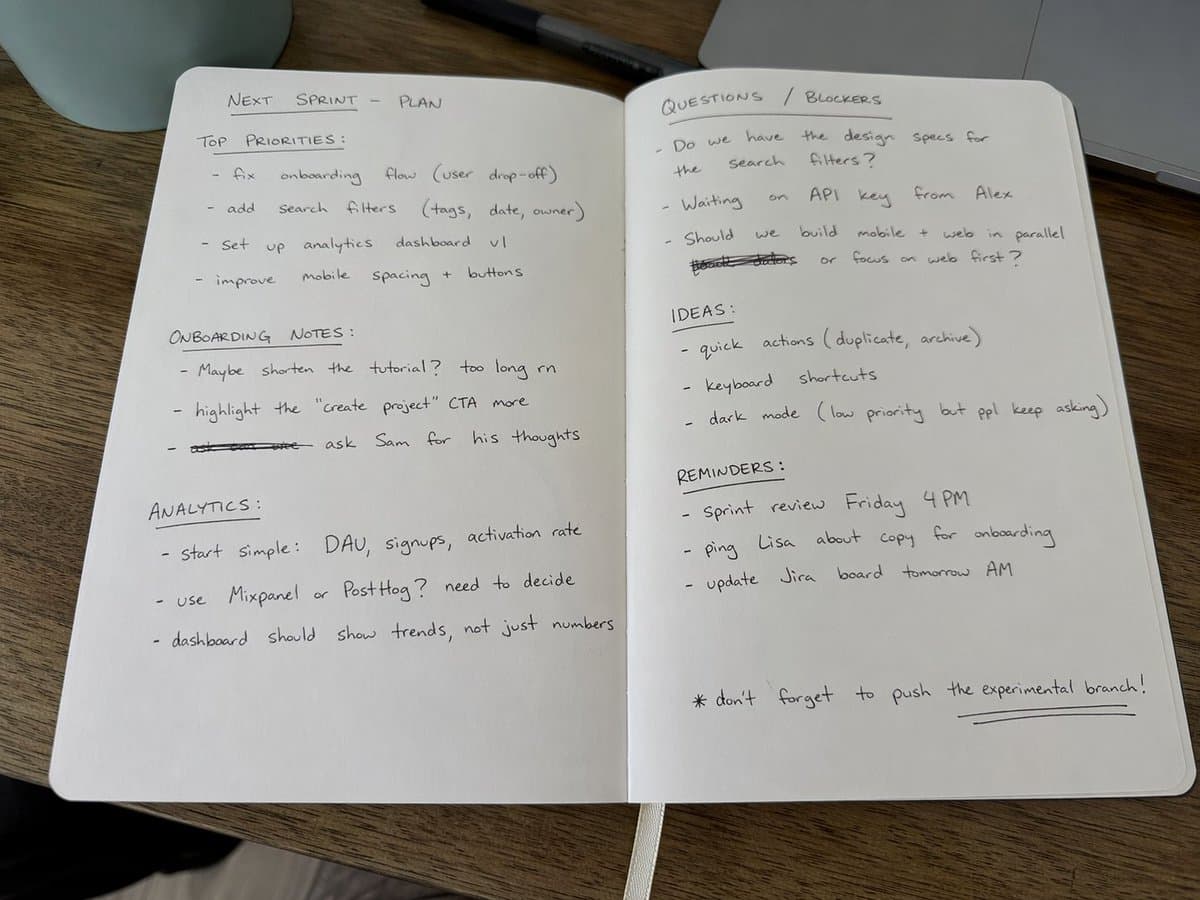
Handwritten notebook realism
Photoreal detail

Handwritten notebook realism

Useful when you need believable handwriting, paper texture, crossed-out notes, and casual phone-camera realism.

Amateur iPhone photo of an open notebook filled with messy black ballpoint notes, crossed-out words, underlined headings, natural daylight, casual desk, realistic handwriting and paper texture.

Load this prompt
Structured counting test
Composition control

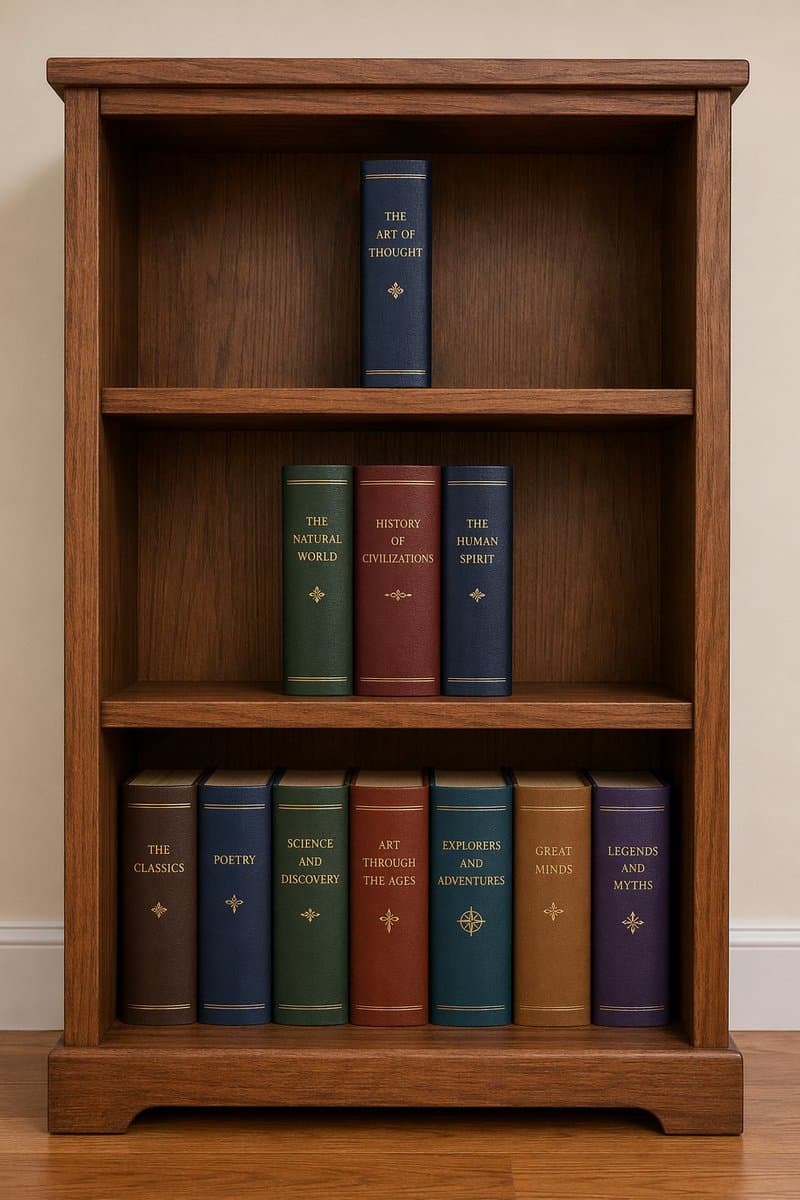
Structured counting test

A simple but effective way to test whether the model follows explicit object counts and shelf structure.

A wooden bookshelf with three shelves: one book on the top shelf, three books on the middle shelf, and seven books on the bottom shelf. Clean composition, natural wood texture, realistic lighting.

Load this prompt
Travel poster composition
Poster layout

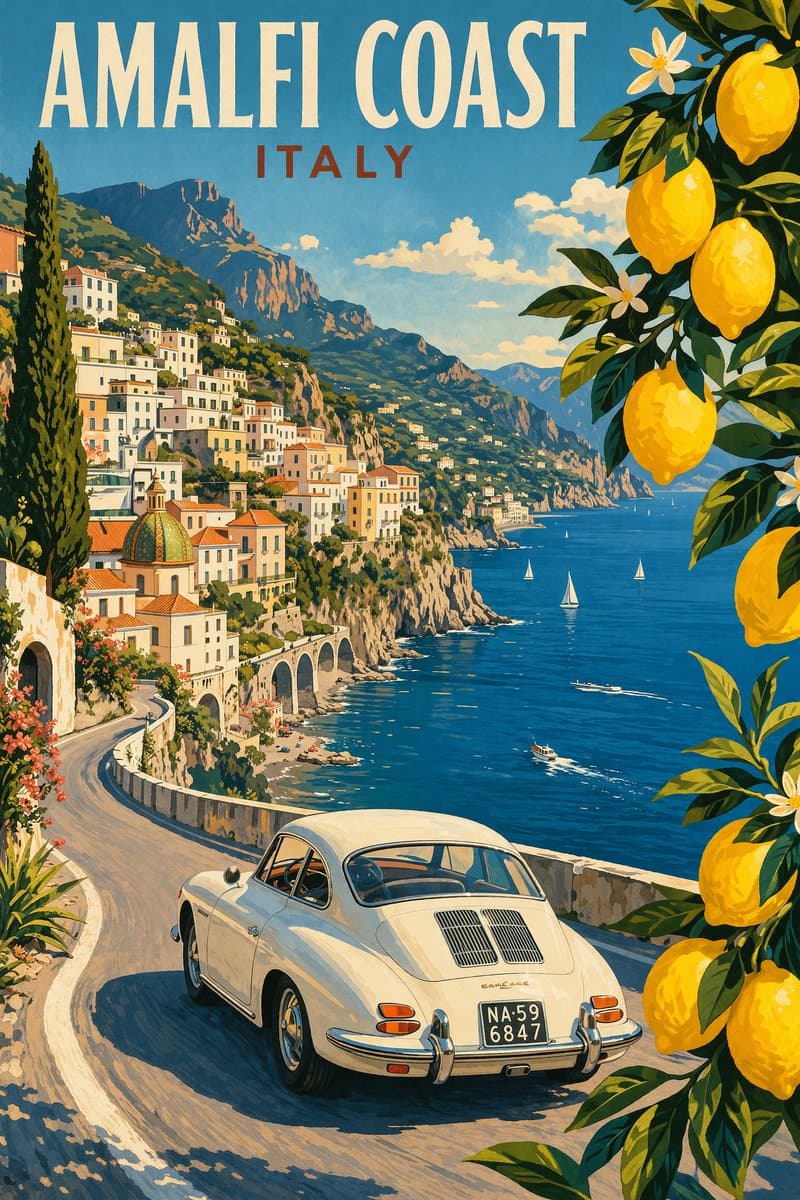
Travel poster composition

Shows where GPT-Image-2 is useful for vertical posters with readable English headings and a strong editorial silhouette.

Design a premium vintage travel poster for the Amalfi Coast, Italy. Vertical format, cinematic cliff road, classic white car, Mediterranean sea, lemon branches in the foreground, bold readable title text: AMALFI COAST ITALY.

Load this prompt
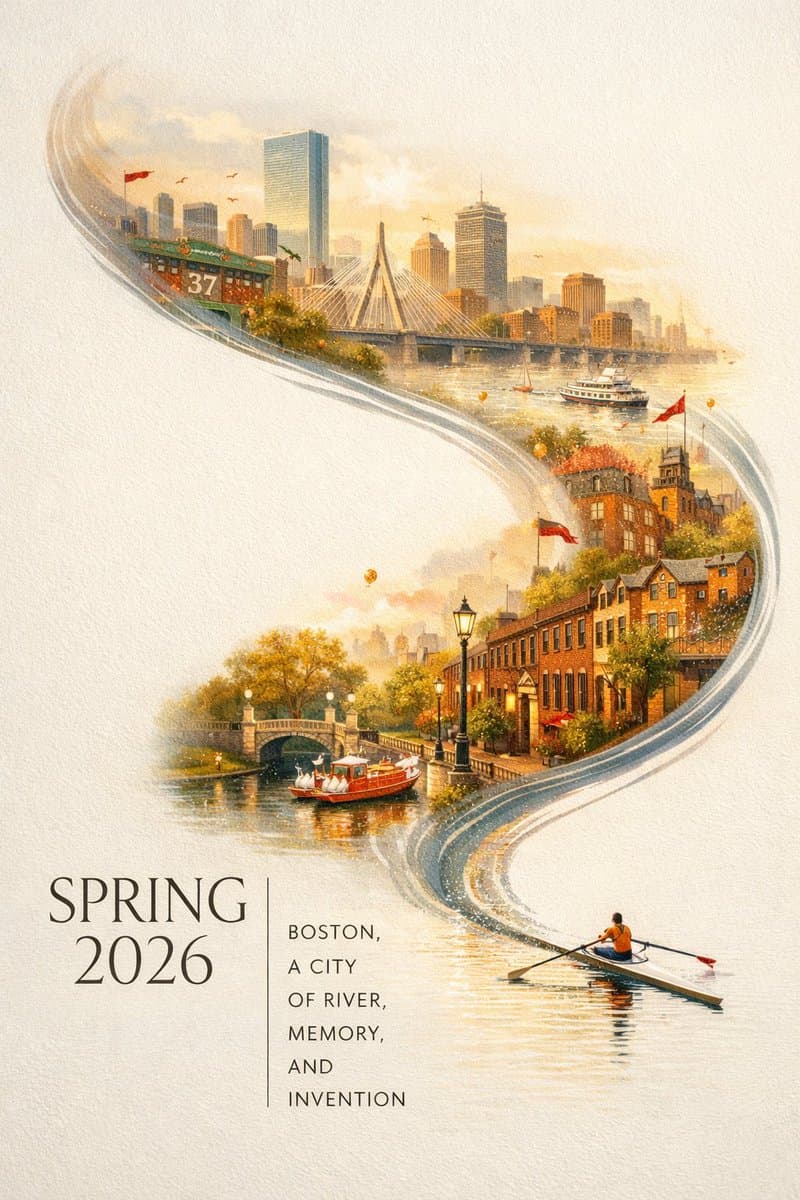
City poster with typography
Editorial text

City poster with typography

Strong fit for city campaigns, seasonal landing visuals, and long-format poster prompts with exact copy requirements.

Create a vertical city poster for Boston in spring 2026. Off-white textured background, large negative space, a single sculler on the Charles River, the river transforms into a painted panorama of Boston landmarks. Add elegant typography: SPRING 2026 and BOSTON, A CITY OF RIVER, MEMORY, AND INVENTION.

Load this prompt
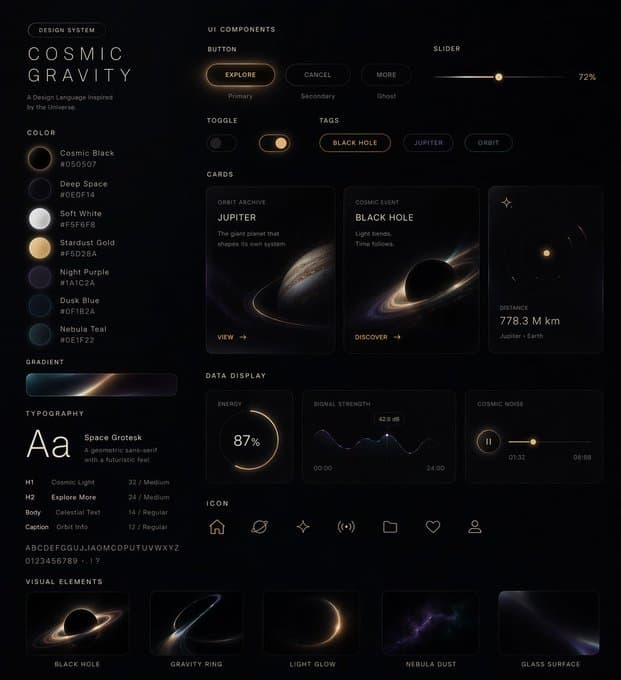
Design system board
UI systems

Design system board

A strong reference for interface kits, component boards, and English UI labels that need to look product-grade instead of abstract.

Create a bold UI design system board called Cosmic Gravity with dark editorial styling, readable English labels, buttons, sliders, cards, tags, typography samples, and polished product-presentation hierarchy.

Load this prompt
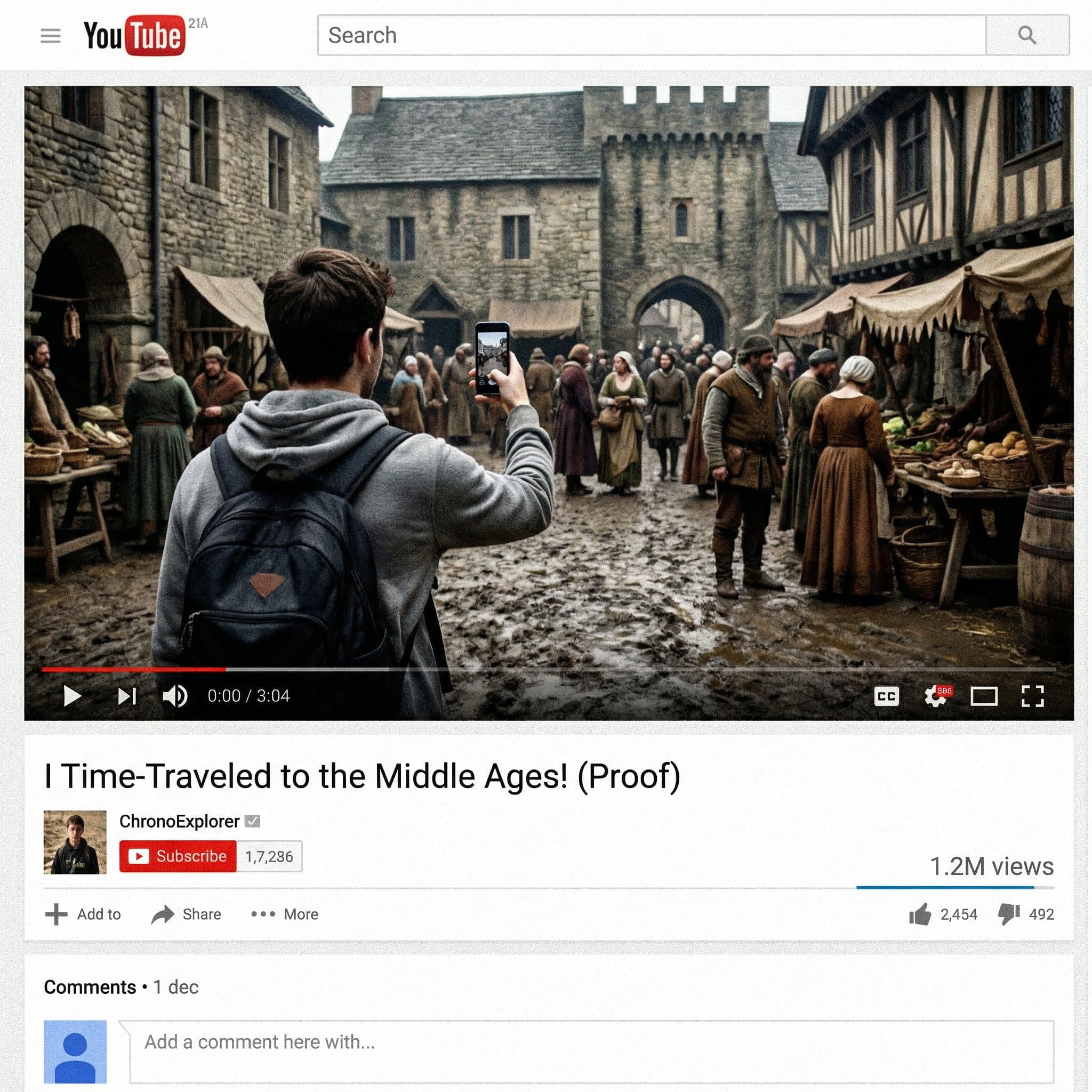
Fake screenshot generation
Screenshot mockups

Fake screenshot generation

Useful for social thumbnails, platform mockups, and screenshot-style concepts where the frame needs a recognizable interface shell.

Generate a realistic YouTube video screenshot titled I Time-Traveled to the Middle Ages! (Proof), showing a modern creator filming a crowded medieval street. Authentic YouTube interface, readable English text, believable thumbnail composition.

Load this prompt
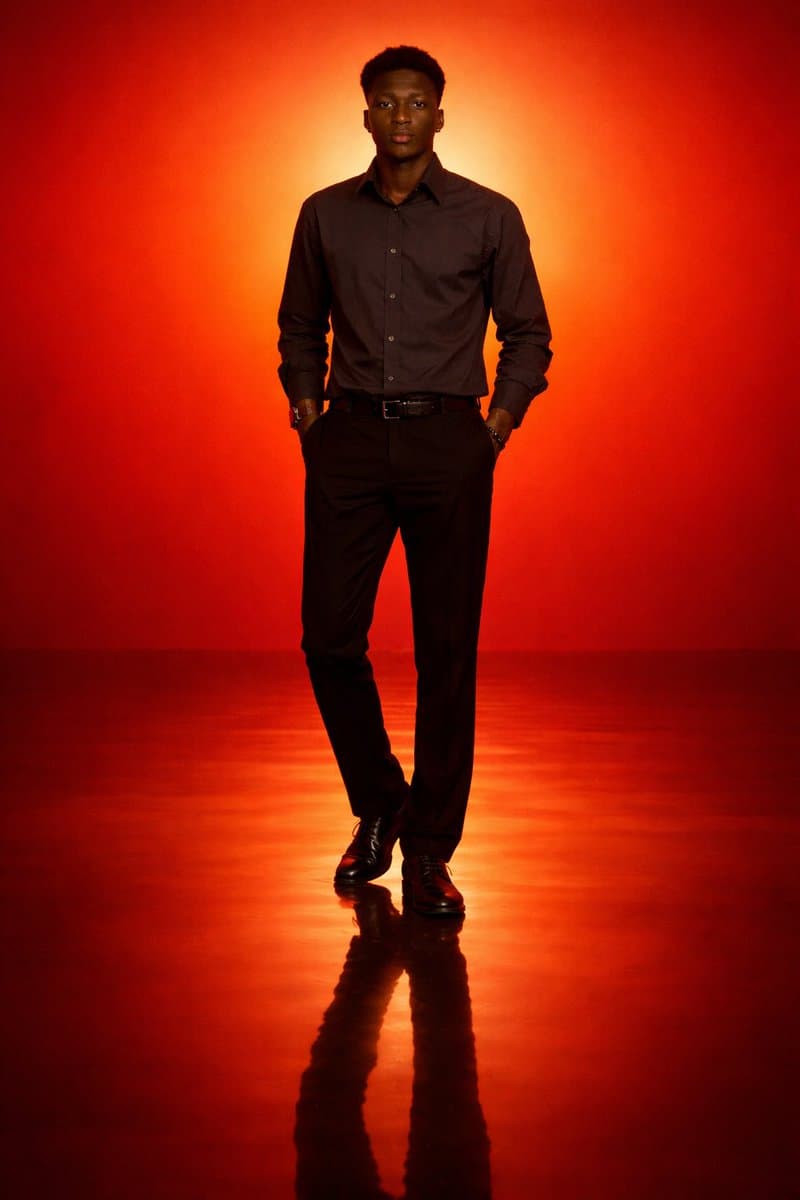
Cinematic minimal portrait
Lighting control

Cinematic minimal portrait

A clean reference for silhouette lighting, gradient environments, and simpler prompts that still need a strong visual center.

Generate a cinematic minimal portrait of a solitary man standing in an intense orange-to-red gradient environment, strong silhouette lighting, deep shadow contrast, reflective glossy floor, symmetrical composition, minimal.

Load this prompt
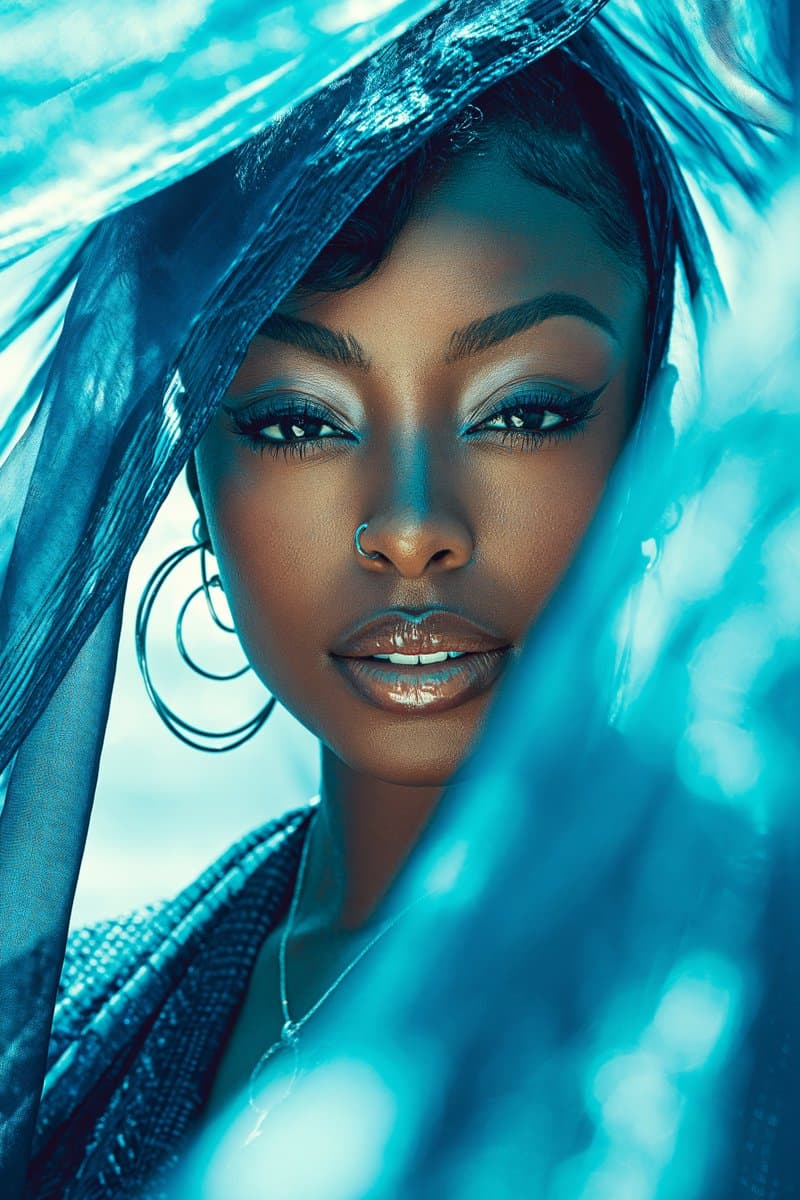
Luxury glam editorial portrait
Beauty editorial

Luxury glam editorial portrait

Useful for premium portrait direction when you need fashion polish, color story, and a more commercial beauty finish.

Luxury glam beauty portrait of a beautiful Black woman with a youthful spirit, mahogany-red and sapphire-blue color story, minimal jewelry, beachside breeze, lens flare, cinematic symmetry, soft focus, high-fashion photography, dewy finish.

Load this prompt
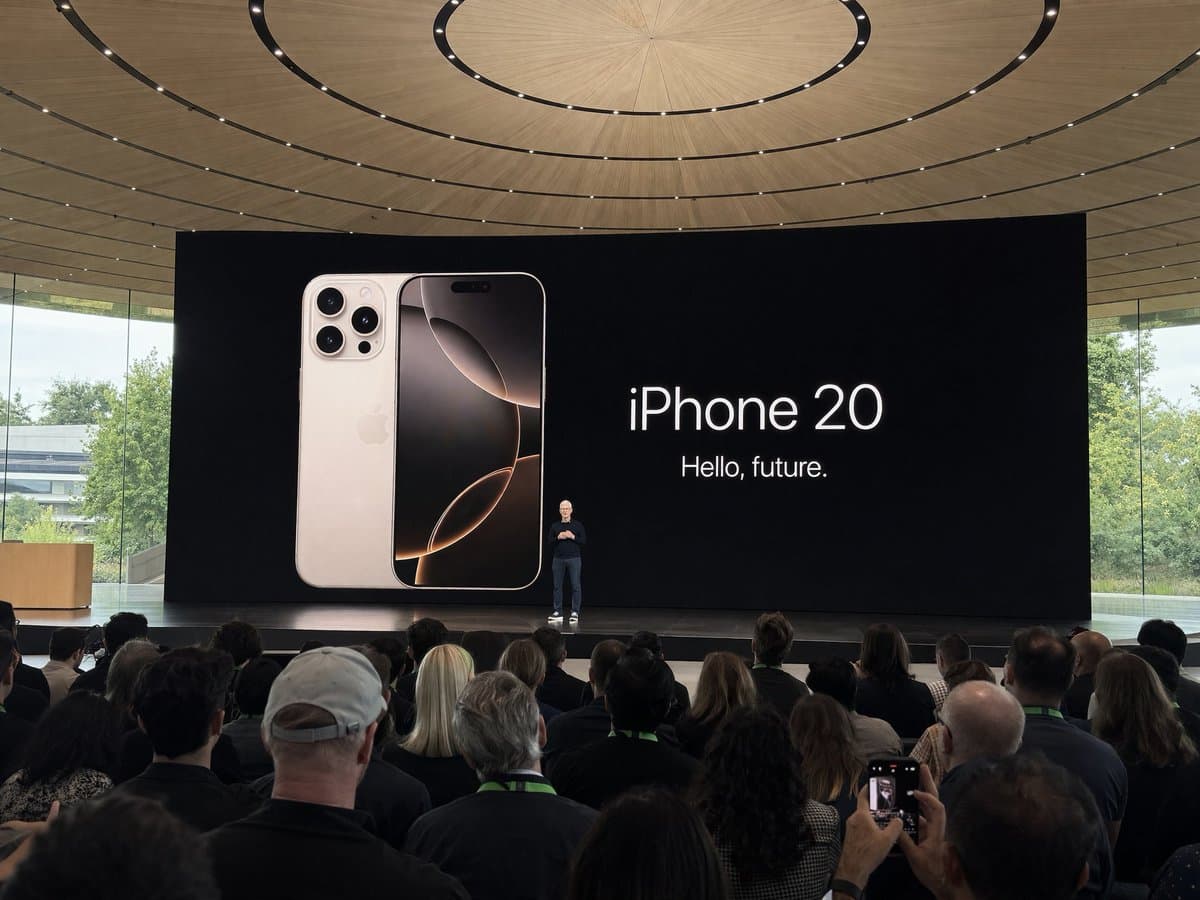
Keynote snapshot realism
Phone-camera realism

Keynote snapshot realism

A good test for crowd perspective, stage distance, and casual event-photo fidelity when the image should feel captured rather than staged.

Amateur iPhone photo at a major tech keynote in a modern campus venue, presenter on stage in the distance, shot from the crowd, natural handheld framing, realistic event lighting, believable phone-camera look.

Load this prompt

Compare 8 AI image and video models in one workspace

Use Kovvid AI to compare Sora 2, Veo 3, Kling AI, Nano Banana 2, Nano Banana Pro, Seedream 4.5, Seedance 2.0, and GPT-Image-2 side by side for image generation, video generation, image-to-video, frames workflows, and text-heavy visual work.

Prompt starters

Six prompt directions that translate well to real work

Use these as structured starting points, not sacred final prompts. Replace the subject, brand, city, copy, and visual hierarchy before you run them.

Typography

Poster with exact copy

Good for landing-page hero art, event posters, and editorial campaigns.

Design a premium vertical city poster for [CITY]. Keep a clean textured background, one strong visual motif, layered landmark storytelling, and exact readable copy: [HEADLINE] and [SUBHEAD]. Editorial, refined, high-end, not crowded.

Use this starter
Photoreal realism

Notebook photo with believable handwriting

Use when the image should feel captured, not illustrated.

Amateur phone photo of an open notebook on a casual desk, filled with messy handwritten notes in black pen, crossed-out words, underlined headings, natural window light, imperfect but readable writing, realistic paper texture.

Use this starter
UI mockup

UI design system board

Best for product teams that need a visual system board before full page design.

Create a complete UI design system board for [PRODUCT NAME] in [STYLE]. Include English headings, buttons, cards, sliders, tags, typography samples, states, and polished product-design hierarchy. Make it look like a real design review board.

Use this starter
Interface shell

Platform screenshot concept

Useful for video thumbnails, social concepts, and app-like mock screenshots.

Generate a realistic screenshot of a [PLATFORM] post or video page about [TOPIC]. Keep the interface recognizable, the English text readable, and the main visual believable enough to pass as a captured screen.

Use this starter
Product marketing

Luxury product launch visual

A cleaner starting point for skincare, fragrance, or electronics hero art.

Luxury product launch visual for [PRODUCT]. Centered object on a matte surface, diffused studio light, soft reflection, elegant negative space, premium art direction, vertical composition with a clean text-safe area at the top.

Use this starter
Image-to-image

Reference-guided ad refresh

Use when the framing is locked but the visual treatment needs to change.

Using the reference image for composition, regenerate the scene as a premium campaign visual. Keep the core framing and object shape, but upgrade the styling, lighting, typography placement, and overall polish for a launch-ready result.

Use this starter
What You Can Make

Use GPT-Image-2 for the kinds of image tasks it handles best

It works best when you need structured prompts, clean text rendering, poster composition, or reference-guided image generation.

Reference-image workflows

Keep composition, product shape, or framing anchored, then push style, copy, and scene treatment in the same run.

Readable text and layout prompts

Use it for posters, explainers, screenshots, packaging, and mockups where text placement matters, not just mood.

Structured image outputs

GPT-Image-2 performs best when you tell it what the final artifact should be: poster, interface, diagram, notebook photo, or ad creative.

English-first starter prompts

Start from prompts that already fit English-speaking audiences, then swap the subject, copy, and brand context for your own work.

Workflow

A cleaner way to get a useful GPT-Image-2 first pass

Be explicit about artifact type, lock the important text, and only add a reference image when something truly needs to stay fixed.

01
1

Name the output format before the style

Start with poster, screenshot, notebook photo, UI system, or skincare launch visual so the model solves the right structure first.

02
2

Write the exact text you need rendered

If text matters, include the exact copy, where it should appear, and whether it should feel editorial, product-grade, or interface-native.

03
3

Use references only for locked decisions

Bring a reference image when framing, object shape, or composition must stay stable. Otherwise keep the prompt lighter and iterate faster.

First-pass method

The strongest prompt usually names the artifact first, then the scene, then the text, then the finish.

Best Fit

Use GPT-Image-2 when the output needs more structure than a generic image prompt

GPT-Image-2 is most useful when the image has to behave like a designed artifact instead of a loose concept sketch.

If your task involves typography, UI, explainers, product marketing, or reference-guided edits, GPT-Image-2 gives you more control over structure, layout, and readable text.

Open the tool

5

credits per image

2

input paths: prompt or reference image

6

starter prompts ready to load

Better for artifact-shaped prompts

Think poster, UI mockup, social screenshot, product visual, chart-like layout, or text-heavy composition.

Less guesswork on prompt structure

The examples show what to specify: output type, text, hierarchy, layout, atmosphere, and finishing details.

English showcase assets first

You get English-first examples that are easier to reuse for international audiences.

Reference-friendly iteration

You can move from text-only prompting to reference-guided generation without rebuilding the prompt structure from scratch.

Best use cases

Where GPT-Image-2 usually earns its keep

The model becomes more valuable when the image has to read as a designed deliverable, not just a mood board frame.

Text-heavy posters

Best when: The image needs a headline, subhead, and a controlled editorial layout.

Avoid when: You only need an abstract mood image with no hierarchy or copy to manage.

Reference-guided edits

Best when: Composition, framing, or product shape must stay recognizable across iterations.

Avoid when: Every major visual decision is still open and you want maximum randomness.

UI and screenshot mockups

Best when: The frame needs to read like a believable interface or social post instead of concept art.

Avoid when: You need production UI code instead of a visual direction image.

Product and launch visuals

Best when: You need marketing-ready imagery with cleaner surfaces, text-safe space, and art-directed lighting.

Avoid when: The task is a multi-image brand system that should really be handled in design software after concept approval.

FAQ

GPT-Image-2 FAQ

Short answers on where GPT-Image-2 fits, what it costs, and how to prompt it more effectively.

GPT-Image-2 is strongest when the output needs structure: posters, UI mockups, screenshots, product visuals, diagrams, or images that must render specific text cleanly.
Yes. You can use text prompts and reference-image workflows together, which helps when composition or object shape needs to stay stable while you iterate on style and copy.
GPT-Image-2 currently costs 5 credits per image on Kovid.
Not by default. Start with the output format, the key scene, the exact text, and one or two finish cues. Add more detail only after the first pass shows the right structure.
Choose GPT-Image-2 when text rendering, layouts, posters, screenshots, or reference-guided images matter more than loose visual exploration.
Yes. That is one of the main reasons to use it. You should still write the exact headline and subhead you need, describe where that copy should sit, and name the final artifact clearly as a poster, ad creative, screenshot, or product visual.
Start with four things: the artifact type, the main scene or object, the exact text that must appear, and the overall finish or style. If a reference image is important, add it only after those structural instructions are clear.
Do not add more adjectives first. Usually the better fix is to simplify the prompt and make the structure clearer: specify the layout, shorten the copy, name the image type again, and decide which single element matters most.
GPT-Image-2 is often the better first choice when text rendering, UI structure, screenshots, poster hierarchy, or exact layout control matter more than pure photoreal material quality.
Use GPT-Image-2 when you want OpenAI-style text-and-reference workflows and more direct control over artifact-shaped prompts. Nano Banana Pro is still strong for layout-led marketing visuals and rapid commercial design exploration, so the better choice depends on which visual system already feels closer to your target.
No. Use a reference image only when framing, object shape, or composition should remain stable. If you are still exploring the direction, text-only prompting is usually faster and cheaper to iterate.
Yes, but they should be treated as structure templates, not final prompts. Replace the subject, copy, brand context, city names, and layout requirements so the result fits your actual use case.
If the first result misses, simplify the structure before adding more adjectives.
GPT-Image-2 Generator | Create Posters, UI, and Text-Heavy Images | Kovvid